Outreach
Outreach is where drafted work waits on you, where you write a new message yourself, and where autonomous calls are queued. Four tabs cover it: Drafts, Queue, Compose, and Voice.
:::tip Why This Page Matters Outreach is where the watch, draft, approve rule lives in the app. Nothing on this page reaches an advisor, an LP, or a prospect on its own; every tab ends with something waiting on you. :::
Drafts: Your Work Queue
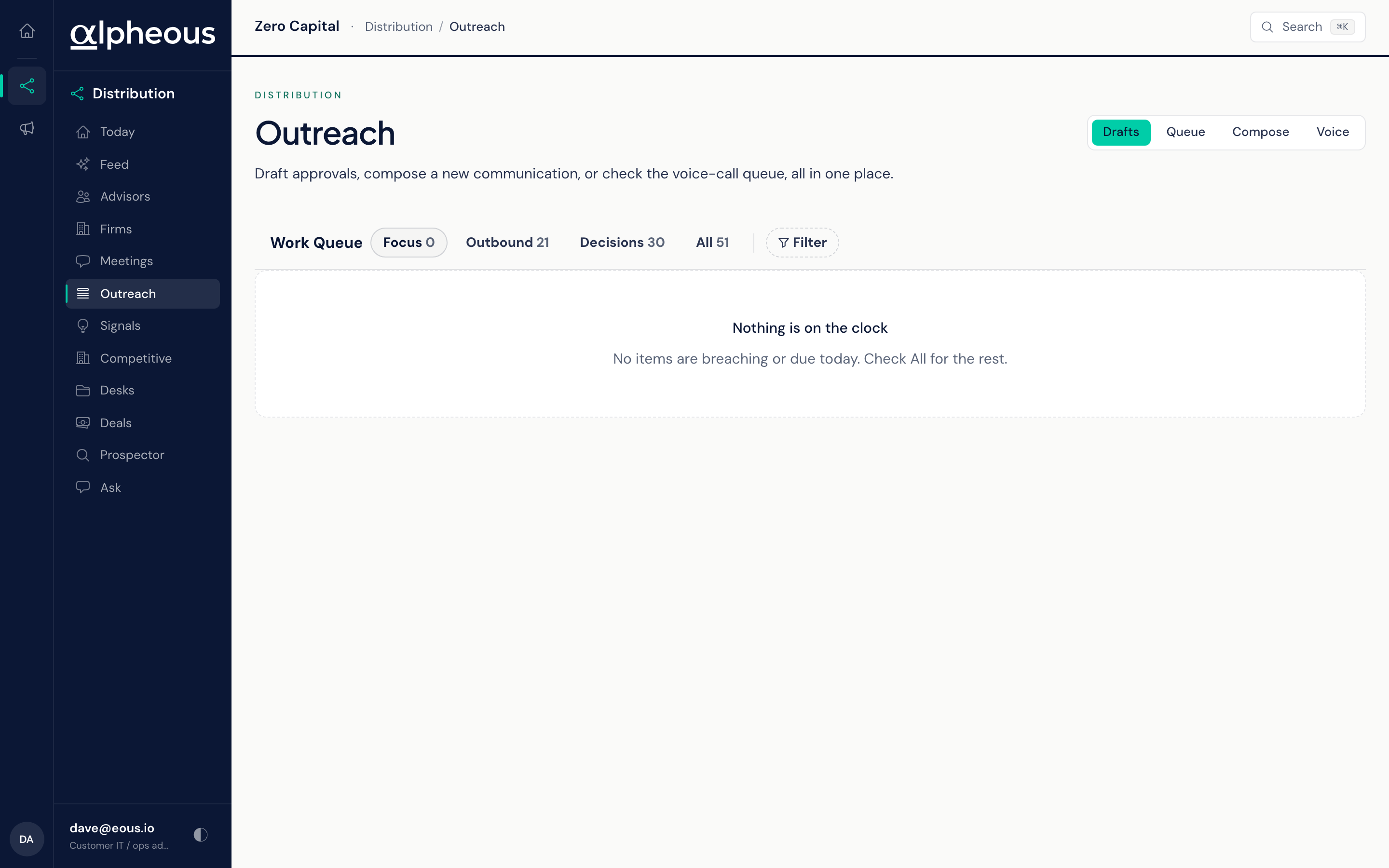
Drafts is your Work Queue: everything the agents have found or written that needs a decision from you. It holds two kinds of item.
- Decisions are cards an agent raised for you to act on, such as a Territory signal card for a firm where follow-ups have lapsed. Select a card to expand it: Why this surfaced explains it, the advisors it covers are listed with the reason each is there, and the buttons are the choices you have. On a Territory signal card those are Draft emails, Send to cold-call queue, and Dismiss. Nothing happens until you choose.
- Outbound items are drafts agents wrote for you to approve, such as marketing content and social posts. Expand one to read it, then Approve or Reject it. Tick several and approve or reject them together.
Four sub-tabs narrow the list, each with a live count:
- Focus: only items with a deadline that has passed or falls today. Most cards have no deadline, so Focus is often empty; that is expected.
- Outbound: drafts waiting on your approval.
- Decisions: cards waiting on a decision.
- All: everything.
Items are grouped by deadline: Breached, Due today, and No deadline. Each row shows Over, Due, or OK (no deadline), the agent that raised it, and a one-line summary. Filter narrows the list by agent. If one of the agents could not load its items in time, a line under the tabs names it; the rest of the queue still loads.
Draft emails
Draft emails on a Territory signal card writes one email per listed advisor and puts each one in your own Drafts folder, in Outlook or Gmail, depending on the mail account your firm connected. For each advisor, Alpheous:
- Looks up their current email address in your CRM at the moment you click.
- Writes the email from the reason they are on the card and your firm's product information.
- Checks it against your firm's compliance rules. A draft that does not pass is not written.
- Signs it with your name and details from the staff roster and adds your firm's required disclosure.
Drafting runs in the background, because each email takes up to a minute or so to write and check. A message confirms how many emails are being written, the card leaves the queue, and each draft appears in your Drafts folder as it is finished. The compliance audit log records the outcome for each advisor, including anyone skipped and why: no email address in the CRM, a draft that did not pass the compliance check, or a setup problem. If no draft could be written at all, the card comes back so you can try again.
Open the drafts in your mail app, read and edit each one, delete any you do not want, and press send yourself. Alpheous never sends an email on your behalf.
Dismiss
Dismiss clears a card you do not want to act on, for everyone on your team, and the decision is recorded in the audit log. The same card does not come back. If something new happens with that firm, a new card can appear. Some card types ask for an optional reason when you dismiss them.
Queue: Outbound Waiting for Release
Queue is a separate tab for non-email outbound actions, things like a text message or a LinkedIn note, that wait for you to release them. Filter it by channel to see just the kind of outreach you are working through right now.
Compose: Write a New Message
Compose is where you write outreach yourself. Describe what you want to say to an advisor or investor, and Alpheous drafts the message and runs it through your firm's compliance rules before you see it. A draft comes back with one of four verdicts: Compliance Approved, Compliance Flagged (shipped with notes for you to review), Compliance Rejected, or Compliance Ruleset Unavailable, meaning your firm has not set up a ruleset to gate against yet.
By default, an approved draft lands in your review queue. Check the option to skip the review queue on the Compose form if you would rather it save straight to your Drafts folder instead. Either way, it never sends on its own; you send it yourself from your mail app.
Voice: The Autonomous Call Queue
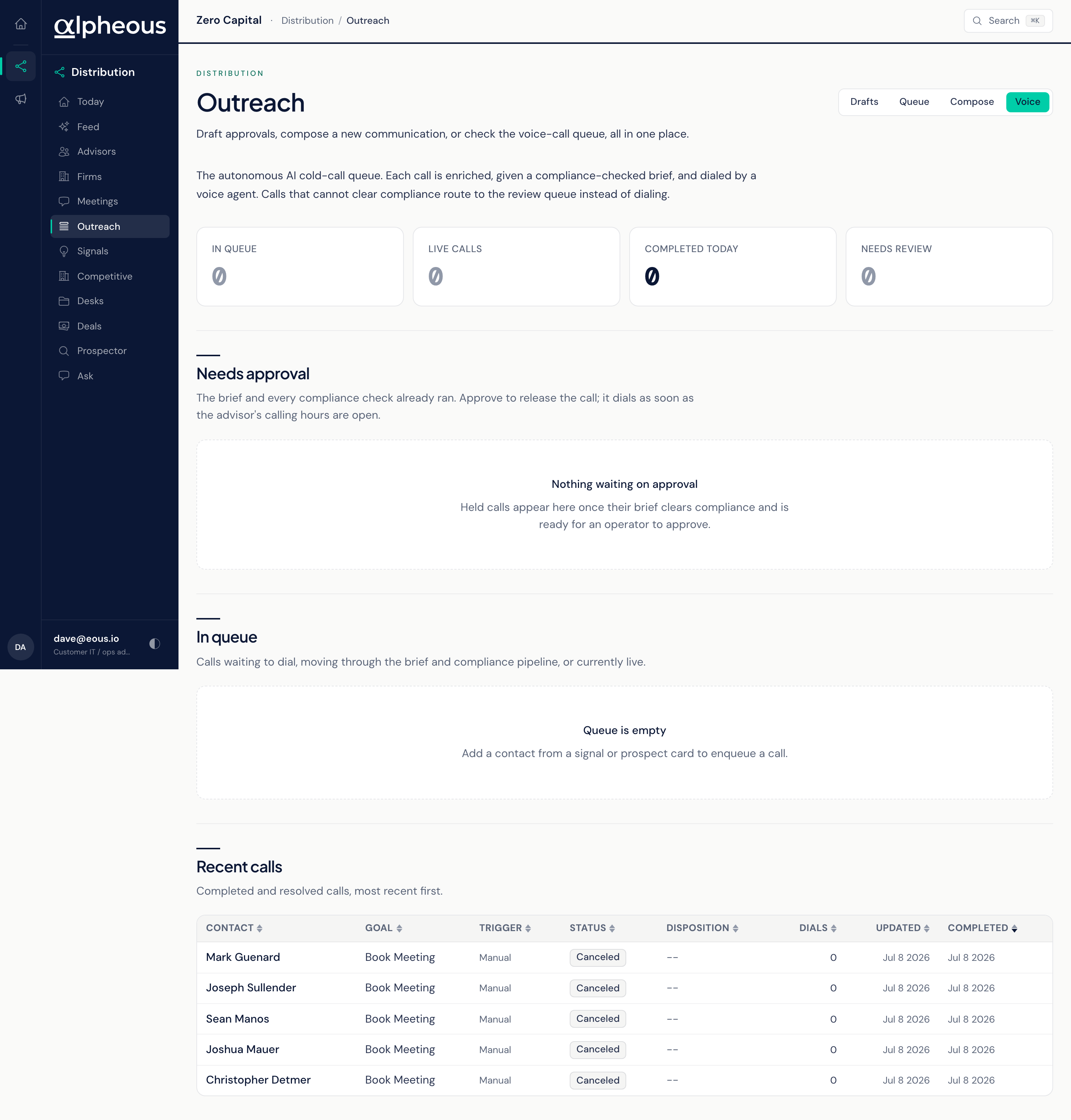
Voice is the autonomous cold-call queue. For each call, Alpheous researches the advisor, writes a compliance-checked brief, and a voice agent places the call. A call that cannot clear compliance never dials; it routes to a review queue instead, where you decide what happens to it. As with every outbound channel here, a call that does clear waits for you to release it before it actually goes out.
Related
- Signal Outreach: drafts the outreach that lands in Drafts when a signal fires.
- Voice Outreach: the agent behind the Voice tab.
- Today: where your queue count surfaces each morning.
- Meetings: where a follow-up draft comes from after a call.