Signals
Signals is the timing engine behind your outreach: a meaningful change in an advisor's behavior or circumstances, a filing, a fund flow, a job move, a research request, or renewed engagement after a quiet stretch. Each one is a reason to reach out now rather than later. Two views cover it: Explore and Groups.
:::tip Why This Page Matters Signals tells you who to call and why, right now, instead of working a static list top to bottom. :::
Explore: Every Signal, Filtered
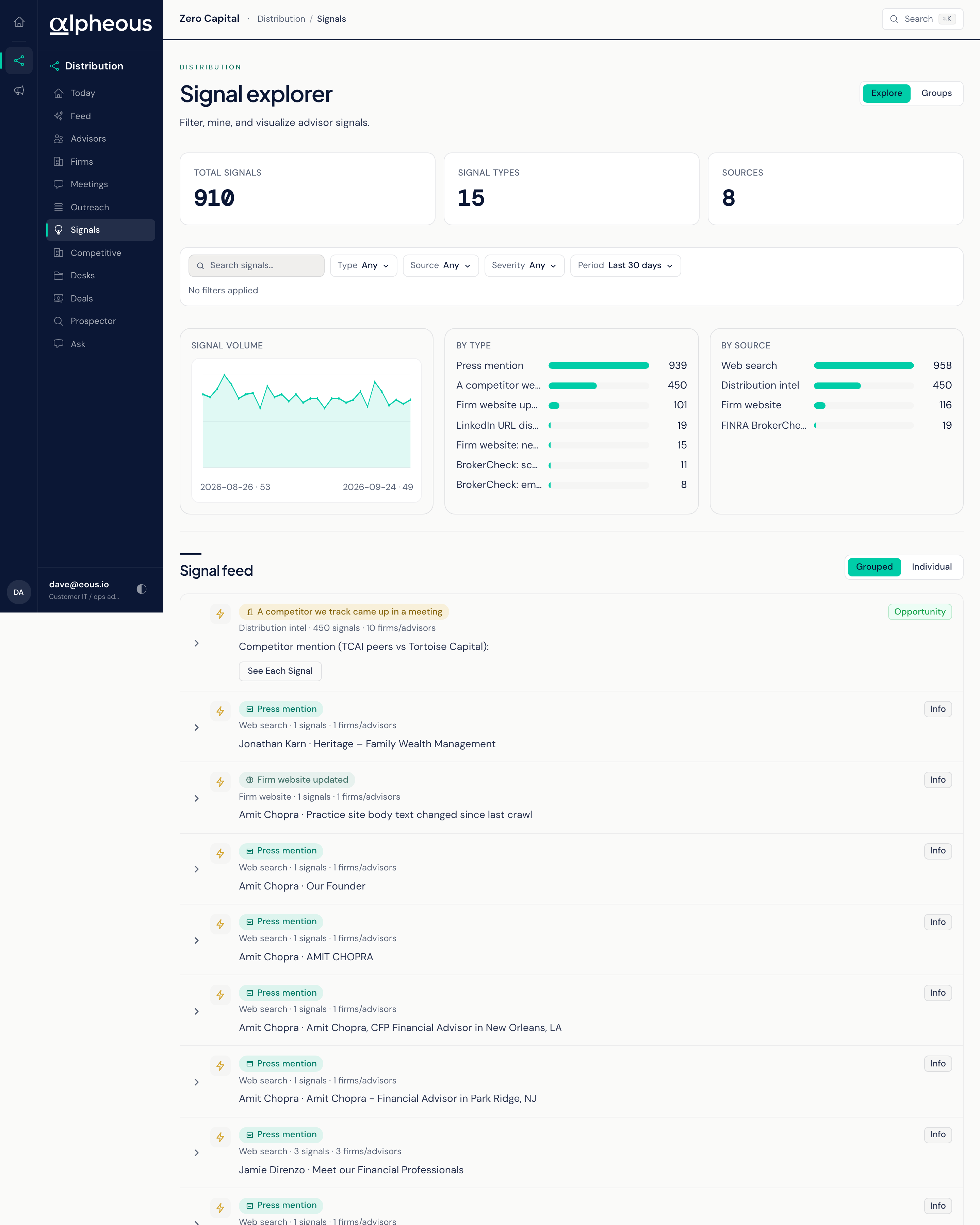
Explore is the default view: a faceted feed of every signal across your territory. The glance band shows Total Signals, Signal Types, Sources, and the Top Kind on the page right now. Filter by type, source, or severity, and narrow the window to seven, fourteen, thirty, or ninety days; thirty is the default.
Expand any signal to see the full provenance behind it: when it occurred and when it was detected, its value, redemptions, net flow, and AUM, the prior and current value, the advisor's CRD number and the firm's CIK, a competitor ticker where relevant, the percent change, and a link to the source.
If you are looking for the actionable signal inbox that used to live on this page, that view is now the Signals filter on your Feed.
Groups: Bundled Signals
Groups bundles signals that share the same underlying ticker and detection window into one entry, so a single market event does not show up as a dozen separate rows. Each group shows the combined AUM across every firm it touched. An "Add to Prospector" action queues every matched firm in the group straight into the prospecting queue in one click.
Related
- Feed: the daily action-card view of signal-related cards.
- Trigger Monitor: the agent that detects these signals.
- Territory Intelligence: how signals feed the ranking behind your territory.