Firms
Firms is the scored universe behind your advisor coverage: every SEC-registered investment adviser in the Form ADV bulk file, scored for fit and ranked, with a full profile behind each one. Where Advisors is about the people, Firms is about the institutions they sit inside.
:::tip Why This Page Matters An advisor's decisions are shaped by the firm around them. Firms gives you the institutional picture, fit rationale, regulatory detail, and peer context, so you can tailor an approach to the house, not just the person. :::
Browsing the Universe
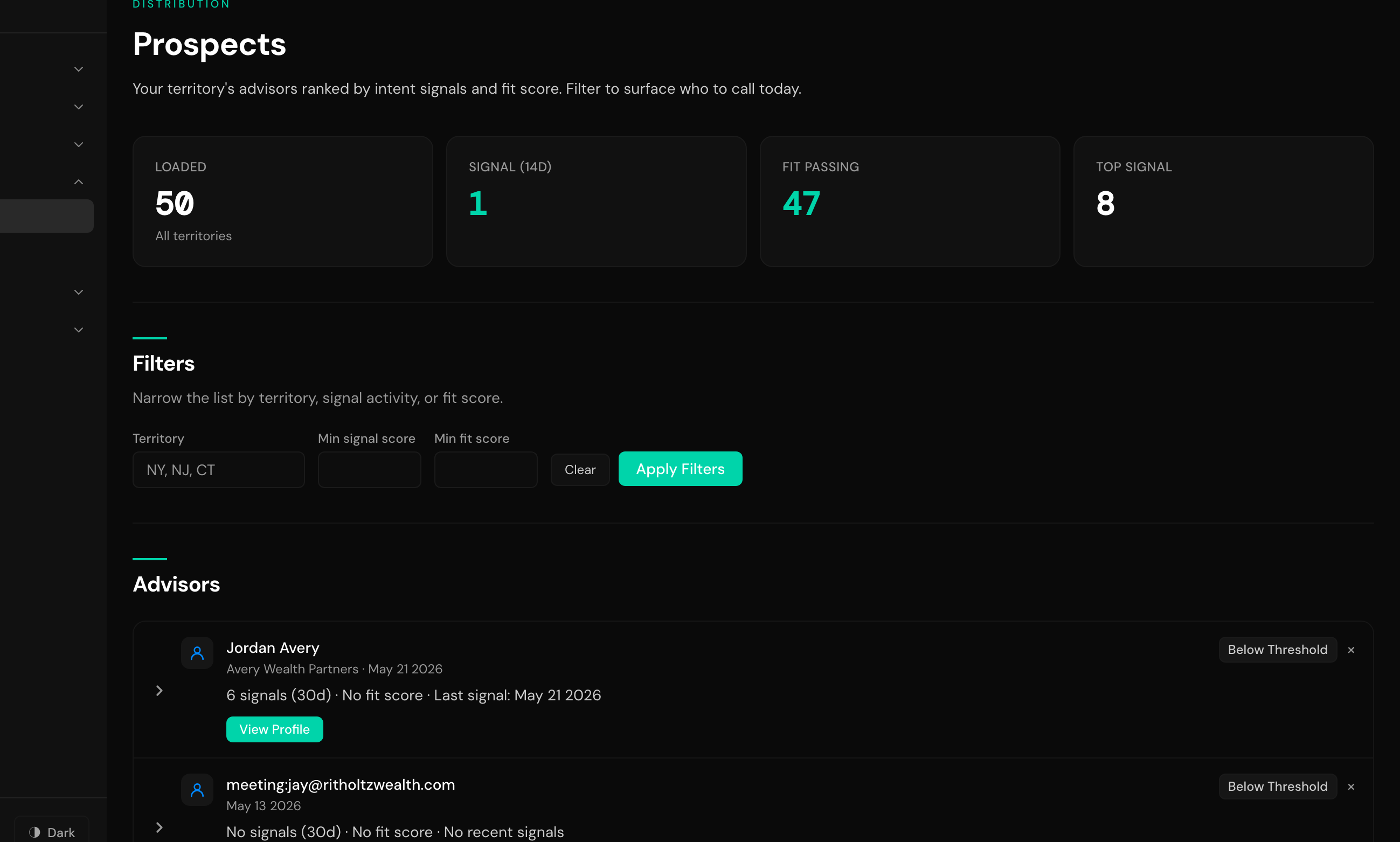
The universe is rebuilt from the Form ADV bulk file and rescored every hour, so fit scores, AUM, and recent-signal counts stay current without anyone refreshing them.
Two lenses cover it:
- All Firms The default: the full scored universe as a paginated table.
- Hot 100 The firms ranked highest today. The ranking blends five factors: open deals, touch recency, meeting proximity, signal heat, and firm fit. Your operator sets how much each factor counts on the Hot 100 configuration page. The Why It Is Hot column names the factors that put each firm on the list.
On All Firms you can narrow the table with:
- Search Match on firm name.
- State The firm's main office state.
- Fit score A minimum and maximum generic fit score.
- AUM A minimum and maximum, in millions.
- Passes products Firms that pass fit for every product you pick.
- Min products passing Firms passing at least one, two, or three products.
- 13F filer Whether the firm files 13F holdings reports.
- HubSpot contacts Whether the firm has contacts in your CRM.
- Active within HubSpot activity in the last 7, 30, or 90 days.
- Recent signals only Firms with a signal in the last 30 days.
Sort by fit score, products passing, AUM, last HubSpot activity, last signal, or firm name.
If your operator turns on the Display Filters switch (see Universe), firms with no matching company in your CRM are hidden from both lenses. They are still scored; they just stay out of view.
The Firm Profile
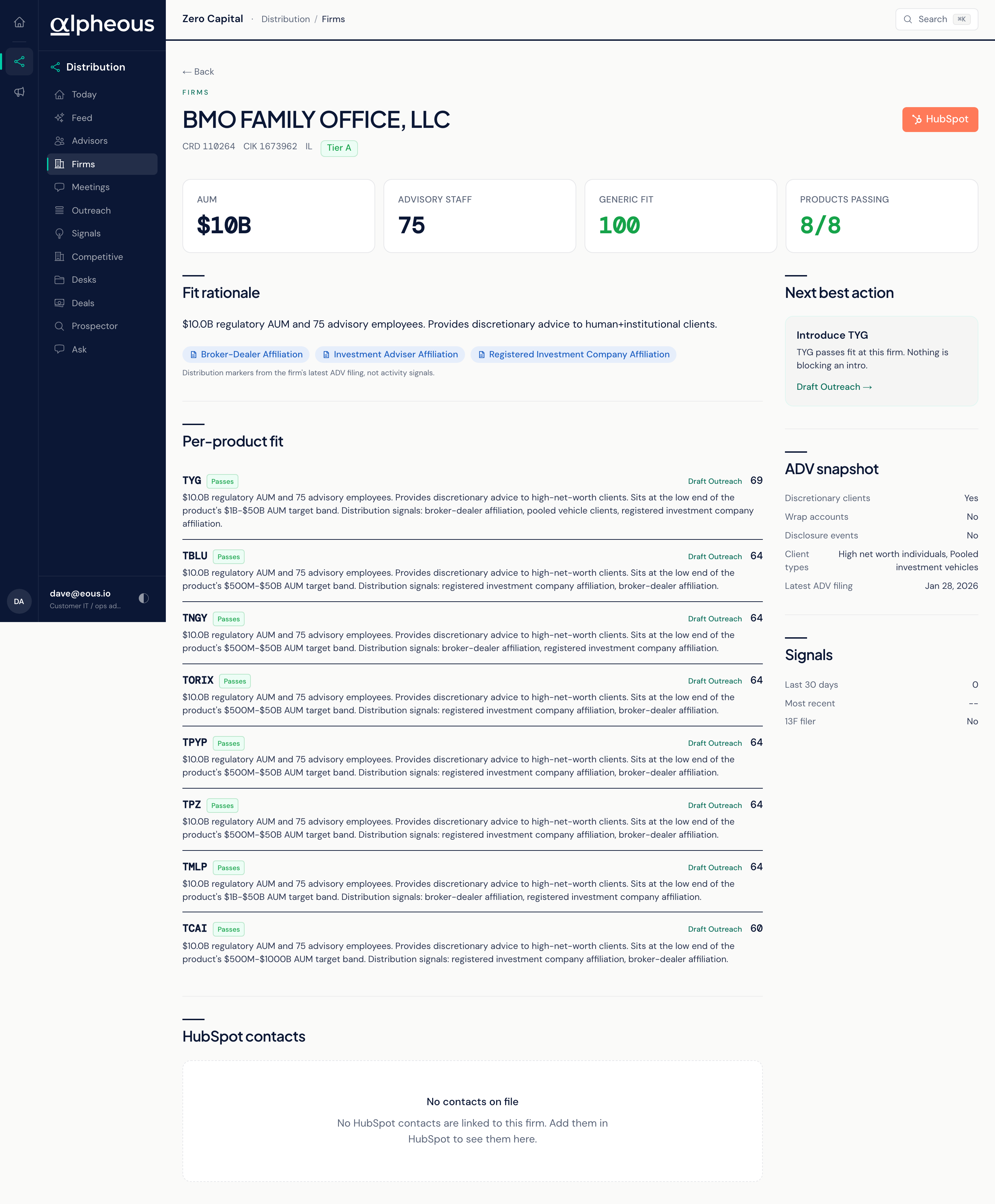
Open any firm to see the fit rationale, per-product fit, its contacts mirrored from HubSpot, peer holdings, a Form ADV snapshot, recent signals, and a Fund Distribution section covering white space and displacement against your line. The ADV snapshot reads in plain terms: whether the firm has discretionary clients, wrap accounts, and disclosure events, the client types it serves, and the date of its latest filing. A Next Best Action panel gives you a single recommended move for the firm, the same way the advisor workspace does for a person.
A "Prospect All Advisors" bulk action on the profile queues the firm's HubSpot contacts for prospecting in one click, after a confirmation prompt. It reads every contact your CRM associates with the firm, not just the ones listed on the profile, up to 200 per click. When a firm has more than that, the confirmation says how many were queued out of how many, and you can run it again once those finish. Advisors already tracked or queued are skipped.
Related
- Advisors: the people inside these firms, and where you track your working relationships.
- Competitive: how your funds are positioned against a firm's existing holdings.
- Prospector: where new firms and contacts are researched before they reach this universe.