Feed
Feed is your daily action list: the same cards you get in Slack, rendered here so you can scan and clear them at your own pace. Five views split the cards by what they are about: For You, Signals, Wholesale, General, and Dismissed.
:::tip Why This Page Matters Feed mirrors Slack, so you never lose work by switching surfaces. A card you clear in the app shows as handled in Slack, and the reverse holds too. :::
The Five Feed Views
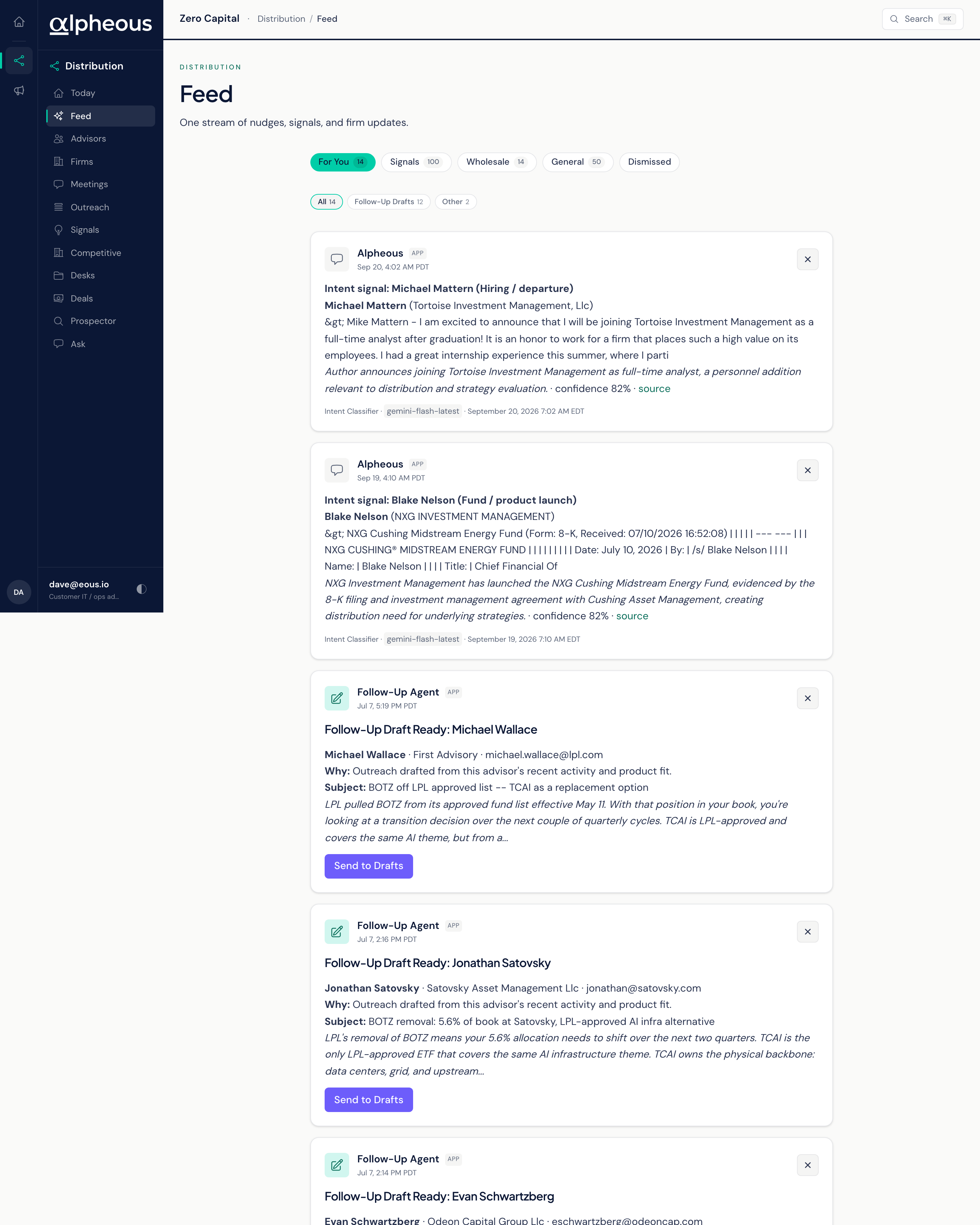
- For You Your personal cards, plus any pending follow-up draft still waiting on you, even on the rare morning its Slack notification never arrived. You will not miss a draft just because the alert for it did not land.
- Signals Signal-related cards for your territory. For the full, filterable signal feed with detail on each one, see Signals.
- Wholesale Cards grouped for the wholesale team.
- General Firm-wide items anyone can pick up.
- Dismissed A restorable list of everything you have cleared from the other four views.
For You, Signals, Wholesale, and General are all live counts: they refresh every time you open the page, so the number on each view is always current. Dismissed is the one exception. It only loads when you switch to it, since it is a lookup list rather than something you check constantly.
Dismissed: Where Cleared Cards Go
Dismissed merges everything you have cleared from the other four views into one place, so you can restore a card you dismissed by mistake. One thing does not show up there: a follow-up draft card. A draft's status lives with the draft itself, not with a dismiss action, so if you are trying to find where a draft went, check the queue on Outreach rather than Dismissed.
Acting on a Card
Every draft-style card gives you one of two actions: Open in Gmail, if a draft already exists there, or Send to Drafts, to create one. Nothing sends on its own from the feed. Whichever action you take, the message waits in your own Gmail Drafts for you to review and send.