Advisors
Advisors holds the full pool of advisors you could cover and the roster you are actually working, on one page. Three lenses move you between them: All Advisors, Tracked, and Hot 100.
:::tip Why This Page Matters All Advisors tells you who is out there worth knowing. Tracked tells you where each relationship you have already started actually stands, down to the one recommended next move. :::
All Advisors and Hot 100: Browse the Universe
The All Advisors lens is the full, materialized advisor universe: a paginated, filterable table of every CRM advisor contact with firm-fit context attached. The Hot 100 lens narrows it to advisors at the firms currently on the Hot 100.
There are two ways to start tracking an advisor, which queues them for web enrichment so their profile fills in over the next runs:
- Prospect Now On an untracked advisor's workspace, one click queues that advisor.
- Prospect All On the Hot 100 lens, one click queues every hot advisor you are not already tracking, up to 500 per click, after a confirmation prompt. If more are waiting, the result says so and you can run it again.
The same bulk action exists per firm: "Prospect All Advisors" on a firm profile queues that firm's contacts.
Tracked: Your Working Roster
The Tracked lens is your roster, the advisors you are actively covering, with four views of its own:
- Feed The default view: your tracked advisors as a scannable stream.
- Table The same roster in a sortable, filterable table. The Signals (30d) column counts each advisor's material signals over the last 30 days.
- Queue The prospecting queue: advisors enqueued from signal groups, the Prospect buttons, and other sources, tracked from pending through completed. The Segment column names where each one came from, such as a HubSpot list or "Prospect all advisors at" a firm. This is the same queue the Prospector page's "Open Queue" button opens.
- Retention Named advisors currently in net redemption from your funds, ranked by dollars redeemed, so you see who to call before a quiet outflow becomes a lost relationship.
The Advisor Workspace
Open any advisor, tracked or from the universe, to land in their workspace: everything known about that one relationship in one screen.
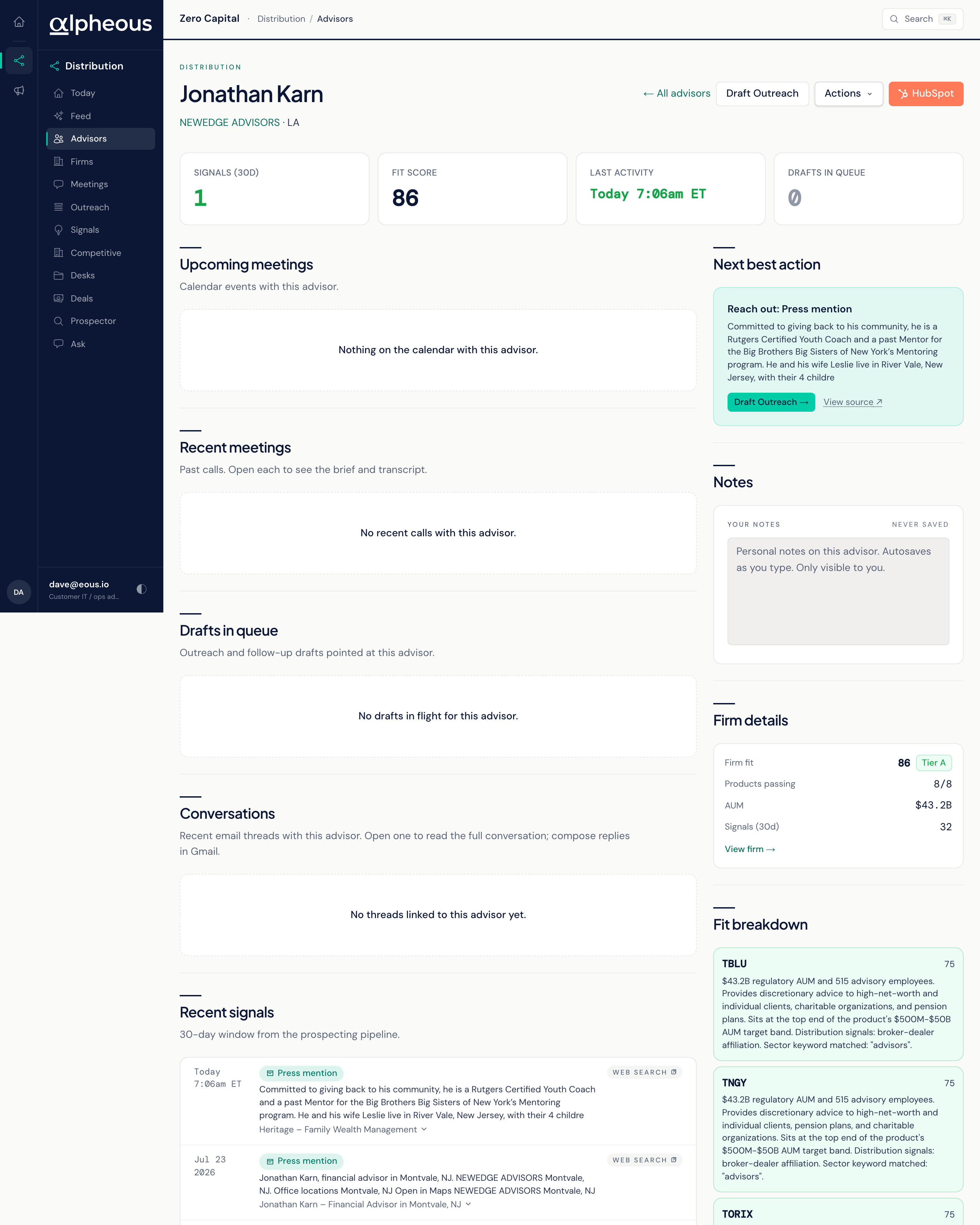
The workspace surfaces a firm card, a fit breakdown per product, and sections for meetings, drafts, conversations, signals, profile, and notes. The Conversations section shows recent email threads with a link to open the full thread; you reply from Gmail, not from inside the workspace.
When the advisor's firm is on the Hot 100, a Why they're hot card shows the firm's rank and score and what drives it: open deals, touch recency, meeting proximity, signal heat, and firm fit.
The Next Best Action
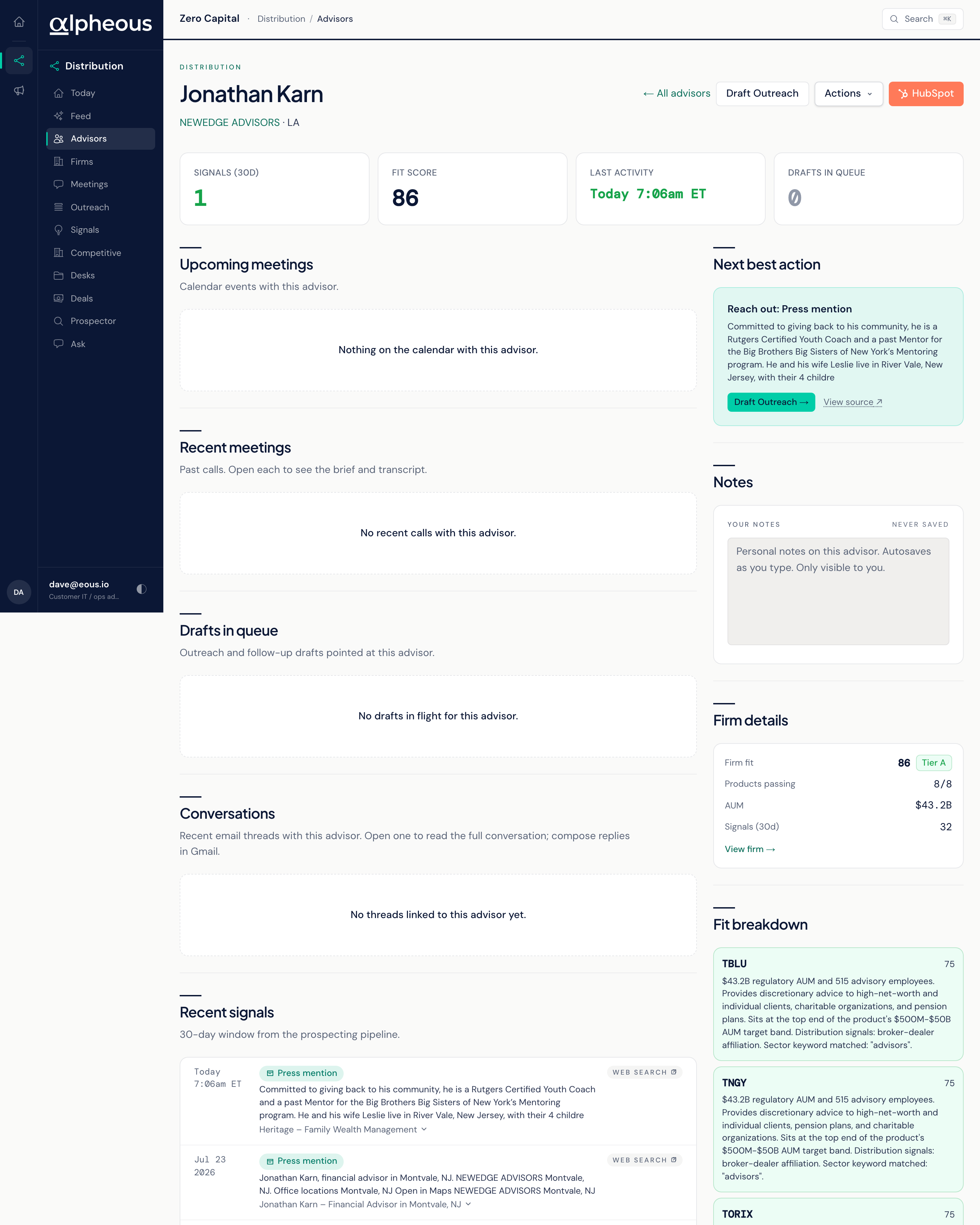
Every workspace surfaces a single recommended next step, picked from nine, in this order of priority:
- Reply to a new message They wrote and are waiting on you.
- Finish a pending draft A draft to them is sitting in your queue.
- Draft a follow-up A recent meeting has not been followed up.
- Prep for your next meeting A meeting is coming up; review its brief.
- Reach out A material signal landed in the last week.
- Worth a touch A material signal landed in the last month.
- Re-engage 30 or more days quiet, with a fit score that is still strong.
- Introduce a product A product passes fit for their firm and nothing is blocking an intro.
- Nothing urgent here None of the above applies; move on to the next advisor.
Instead of deciding what to do with a relationship from scratch, you get one clear move and a path to act on it.
Other Actions
The actions menu on the workspace groups the rest of what you can do. Messages, mail, and video are compliance-checked and wait in the approvals queue until you release them. CRM actions (enroll in a workflow or sequence, create a task) apply in HubSpot as soon as you confirm them. AI calls are queued and held for your review of the call brief before anything dials.
Create Task assigns the task to the territory owner for the advisor's state. When no territory owner is set, it is assigned to you, and the confirmation says so.
Related
- Firms: the scored universe of firms behind these advisors.
- Outreach: where a drafted follow-up or first touch waits for your approval.
- Prospector: where new advisor candidates are researched before they reach this roster.
- Territory Intelligence: the agent behind the ranking and the signals that shape your queue.