Today
Today is where most days begin. It gathers the work the agents finished overnight and orders it by what needs you first, so you can read your morning in one screen instead of opening four tools.
:::tip Why This Page Matters Today turns the watch, draft, approve model into a daily routine. The agents do the watching and the drafting overnight; this screen is where you do the deciding. :::
The KPI Glance Band
The top of Today is a band of four numbers: Meetings Today, In Your Queue, New Signals, and Replies Waiting. Read them first. They tell you whether this is a light morning or a full one before you scroll into any detail.
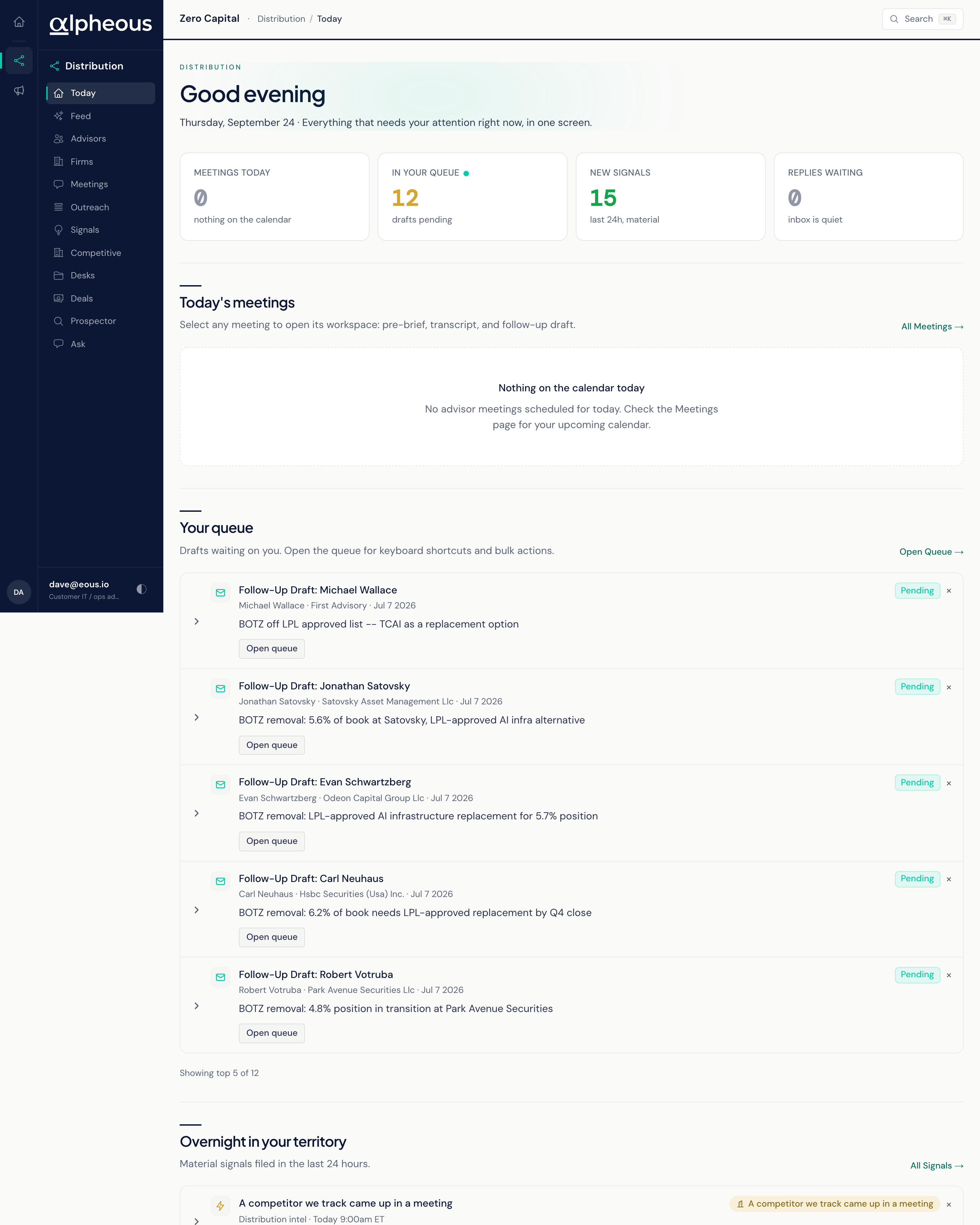
Today's Meetings, Your Queue
Below the KPI band, Today gathers four sections: Today's meetings, Your queue, Overnight in your territory, and Replies received. Each one is a short summary with a link out to its own full page, so you can triage from here and go deeper only where you need to.
- Today's Meetings Your calls for the day, each one opening into its own workspace with the pre-brief already written. See the full list and past meetings on Meetings. If nothing is on the calendar, the section simply says so.
- Your Queue The drafts waiting on you, each labelled by what it is (a follow-up draft or an advisor email draft) and carrying its own status as it moves through your firm's process: Draft, Pending, Pending Compliance, In Review, Send Failed, or Succeeded. Open Outreach for the full queue and every action on it. An empty queue is called out plainly rather than left blank.
- Overnight in Your Territory The material signals that fired in your territory while you were away. Open Signals for the full feed, filters, and detail on any one of them.
- Replies Received Your recent email conversations that have unread replies. Each one offers two actions only: Open Profile or Open Thread. You do not compose or send a reply from this panel; reply from your own mail app. The Replies Waiting number in the band counts these conversations, and selecting it jumps down to this panel.
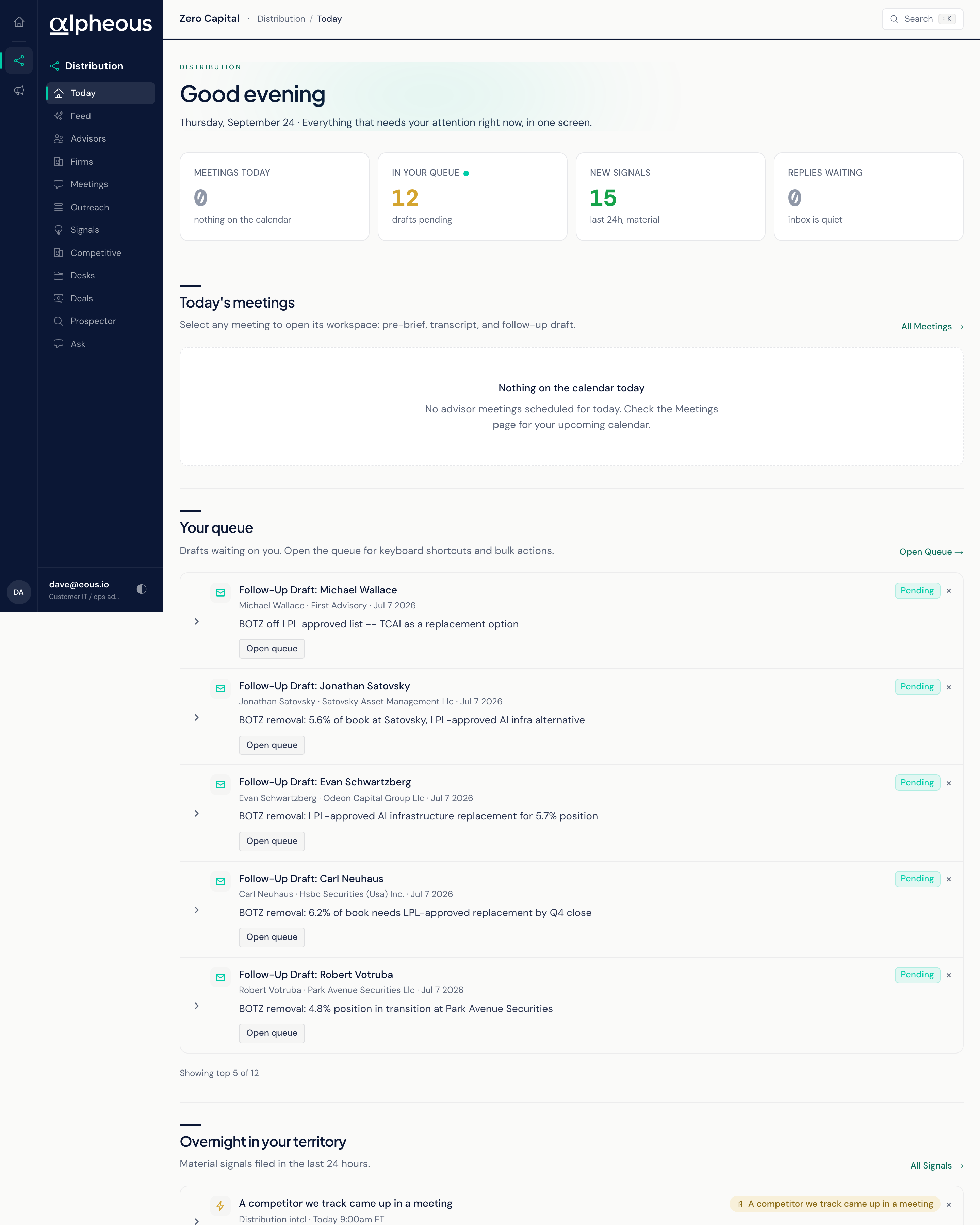
To start your day, scan the four numbers in the KPI band, then work down the sections in order: clear the meeting briefs you need for early calls, act on anything in your queue, and finish with the overnight signals and replies. Each panel's own empty state tells you plainly when there is nothing waiting, so a quiet morning reads as quiet rather than as something you need to double-check.