Firm Settings
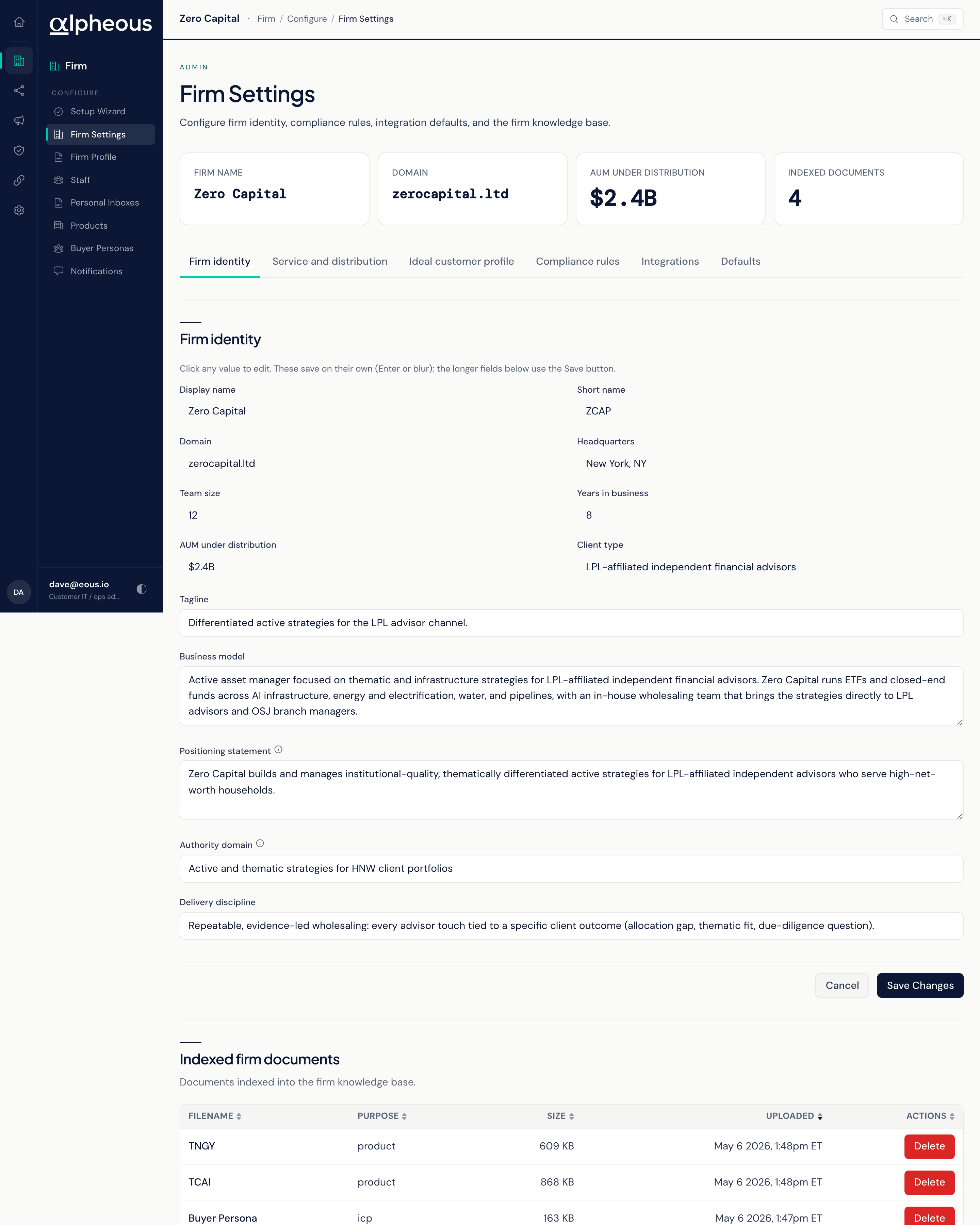
Firm Settings is where you tell Alpheous who your firm is: your identity, how you distribute, who you sell to, and the compliance rules every outbound draft has to clear. Firm Profile, covered further down this page, holds the longer-form material agents draft from. Together they are the foundation every agent reads before it writes or targets on your behalf.
Identity, Distribution, and Compliance
The page is organized into sections:
- Identity: Display name, Short name, Domain (used to tell which inbound mail is yours), Headquarters, Team size, Years in business, AUM under distribution, Client type, Tagline, Business model, a Positioning statement (the one to three sentences your firm opens advisor conversations with), your Authority domain (the investing theme or niche your firm is known for), and Delivery discipline.
- Service and Distribution: Service offerings, Distribution channels, your Asset manager partners (one per line), and Regulators, a comma-separated list such as SEC or FINRA that drives which compliance template applies to your outbound content.
- Ideal Customer Profile: a name and a description of your primary buyer, their role, goals, and pain points.
- Compliance: firm-wide rules applied to every outbound draft regardless of product. Rules specific to a single product are set on that product instead.
- Integrations: your Slack workspace subdomain and the identifiers your Notion connection uses.
- Defaults: the Primary persona email, whose voice and context the outreach agents use by default, and the Primary product ticker, the product used when a piece of outreach has no other product context.
A glance band at the top shows your Firm Name, Domain, AUM Under Distribution, and how many documents are indexed into your knowledge base.
Most fields save as soon as you leave them: click a value, type the change, and click away. The longer text fields use an explicit Save Settings button instead. Work through the sections in order the first time, so agents have a complete picture before they start producing drafts.
Below the settings, a table of Indexed Firm Documents lists every file in your firm knowledge base, with its Filename, Purpose, Size, and when it was uploaded.
Firm Profile: What Agents Draft From
Firm Profile is a separate screen holding the longer, written material drafting agents read when they put together meeting prep, commentary, pitch content, and follow-ups. Where Firm Settings is a form of discrete fields, Firm Profile is a small set of files you write in plain text: pick a file from the list, edit it, and save.
You can add, edit, and delete files here. After saving a change, run Reindex so the agents start drawing on your edit. If a draft doesn't seem to reflect a recent change right away, give it a moment and check the next piece of work the agent produces.
Related
- People: the staff roster that works alongside your firm identity to route work correctly.
- Products: the product catalogue your compliance rules and positioning apply to.
- Setup Wizard: where Firm Settings first gets configured during initial setup.