Operator Console Overview
This page is for the person who runs Alpheous for your firm: the operator or administrator who sets up firm identity, turns agents on, and keeps watch over how the system performs. The rest of this manual covers the daily distribution and compliance work; this section covers the console you use to configure and monitor everything behind it.
There are two surfaces. The app is where your distribution, research, and operations staff do their daily work: prep meetings, review drafts, approve outreach. The operator console is a separate surface for configuring the firm and watching the system run. Most of your team only ever sees the app; you, as the operator, live in the console.
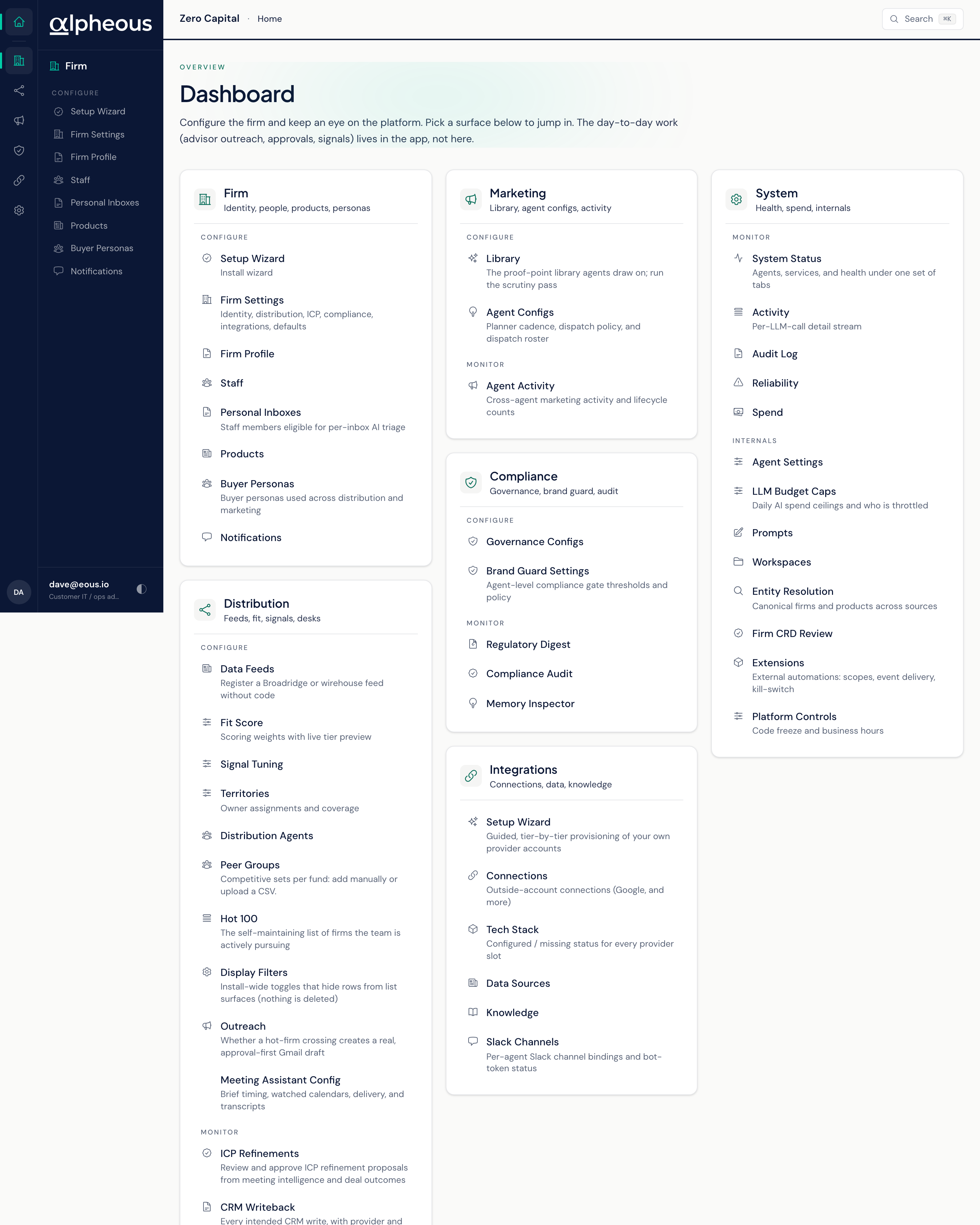
Six Areas, One Console
Everything you configure and watch is grouped into six areas:
| Area | What You Do There |
|---|---|
| Firm | Set your firm's identity, add your team, define your product catalogue, and configure buyer personas and notification routing. |
| Distribution | Tune how prospects and advisors are scored, manage territories, configure your distribution agents, and keep CRM writeback in order. |
| Library | Maintain the proof points, pillars and themes, and brand material your content draws from. |
| Compliance | Review the rules that gate every outbound message, watch Brand Guard's decisions, pull the compliance audit log, and read the regulatory digest archive. |
| Integrations | Connect your CRM, inbox, calendar, and other outside accounts, and see what's actually wired up. |
| System | Watch agent health and activity, track errors and incidents, read the platform event log, and follow what the system costs against what it saves you. |
A seventh page, Entity Resolution, sits outside these six: it is a lower-traffic tool for keeping one clean record per firm and product, and most firms only open it occasionally.
Getting a New Firm Live
A brand-new firm starts empty: no identity configured, no agents running, no tools connected. The Setup Wizard, reachable from Firm or from Integrations, walks you from that empty state to a live system, one step at a time. See Setup Wizard for the full checklist and how to work it.
Where to Go Next
Once the firm is configured and the agents are live, your team works in the app and the agents handle the prep, research, and drafting. Each agent watches its area and asks for your approval before anything reaches an advisor, an LP, or a prospect. To understand what each agent does and how your staff work with it, see the full agent roster. To bring your firm online for the first time, start with Getting Started, which covers sign-in and the daily rhythm your team will follow.
Related
- Setup Wizard: the guided path from an empty firm to a live one.
- Agent Roster: what each agent does and how your team works with it.
- Getting Started: the daily rhythm your team follows in the app.