Connections
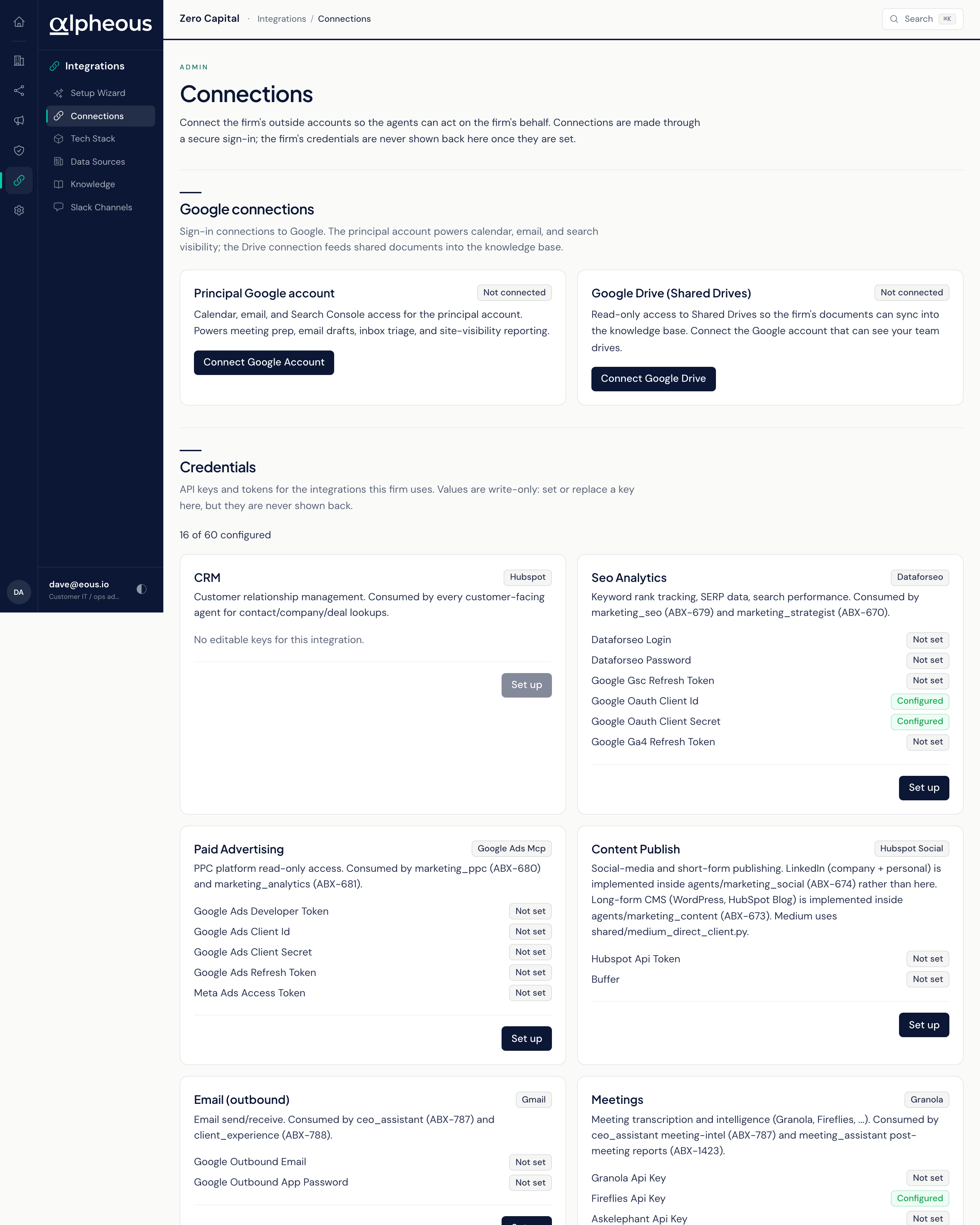
Connections is where you link the outside accounts your agents act through and enter the provider keys specific features need. Link an account here and Alpheous gets access on your firm's behalf without anyone handling a raw token by hand; everything you connect stays held securely by the system and is never sent to your browser.
Google Connections
Two Google connections are managed independently. Your principal Google account covers calendar, email, and search visibility, and powers meeting prep, email drafts, inbox triage, and visibility reporting. Google Drive, connected separately, gives read-only access so your firm's documents sync into your knowledge base; once it's connected, you choose which shared drives to sync.
Each connection shows one of three states: Not connected, Connected as a named account, or Requires re-authentication when a connection has expired. An older, manually added connection is called out separately and needs to be reconnected through this screen before it can be managed here going forward.
Provider Credentials
Below the Google connections, a Credentials section lists key and token slots by category: CRM, outbound Email, File storage, Meetings, Project management, AI model providers, and Slack. Each category shows how many of its slots are configured, as a simple count. Once you save a value, it is never shown back to you; leaving a field blank on save keeps whatever was already stored, so you can update one key without disturbing the rest.
Tech Stack: Your Single Read on What's Wired
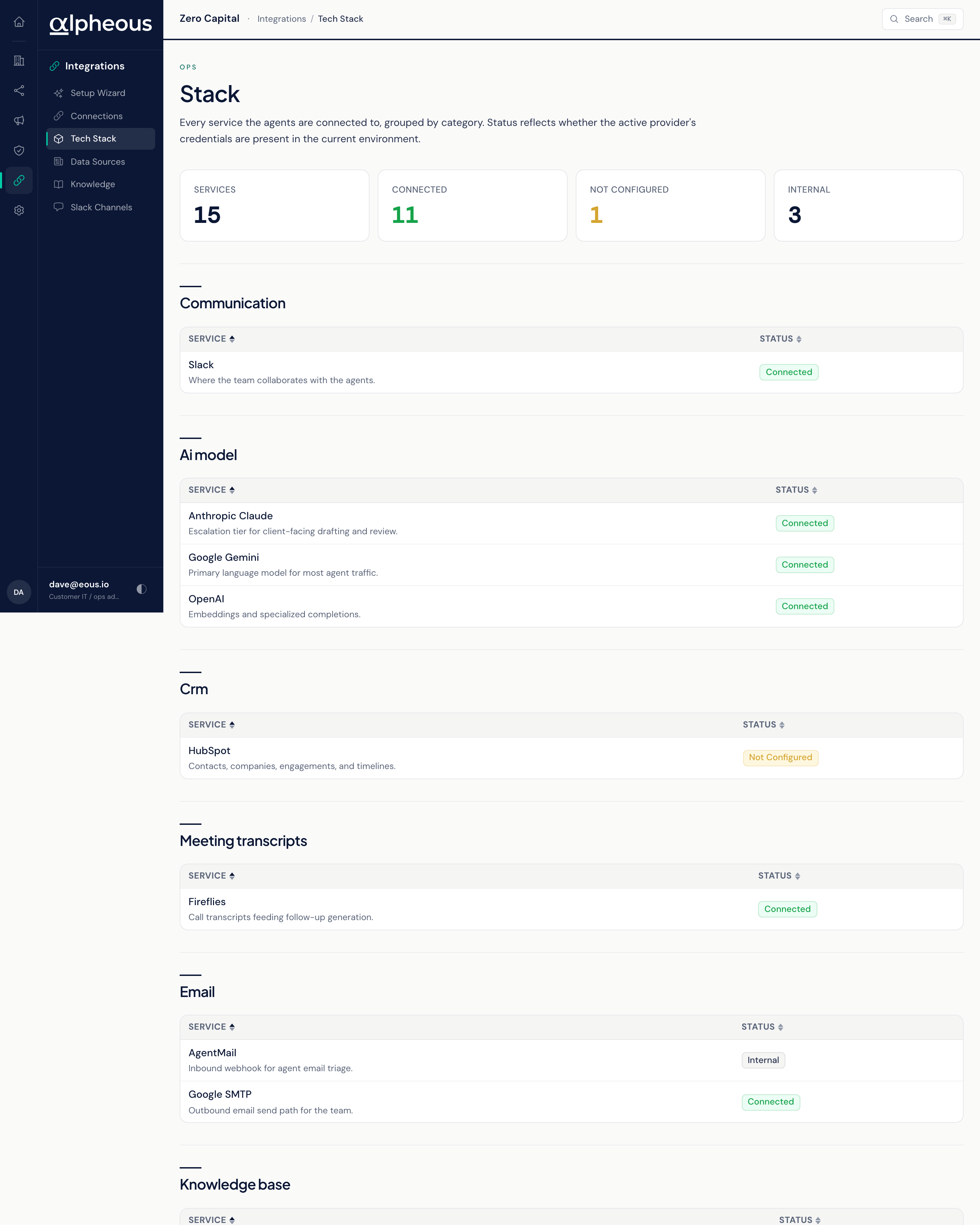
Tech Stack is a read-only companion to Connections: every provider slot your agents can use, grouped by category, with its status. A glance band shows your total Services count, how many are Connected, how many are Not Configured, and how many are Internal. The table lists each Service, its Category, a short Description, and its Status, reflecting whether the credentials for that provider are actually present.
Because every integration is optional, a slot showing Not Configured doesn't mean anything is broken: it means the one feature that depends on it is quiet until you connect it. When a feature isn't behaving as you expect, check here first, then go add or fix the connection on this page.
Related
- Setup Wizard: most setup steps hand off directly to this page to complete a connection.
- Data and Knowledge: what your Google Drive and CRM connections feed once they're linked.
- Slack Channels: where your Slack bot's channel assignments are managed, once its token is set here.