Governance Rule Packs
Governance is where the rules that gate every outbound message live: the checks a draft has to clear before it can reach an advisor, an LP, or a prospect. This page is where you review those rules, and, if you hold the permission, edit them.
Every outbound channel also carries its own send switch, off by default, checked immediately before anything transmits. Turning a channel on is a separate decision from what governance allows: both have to say yes before a message reaches someone outside your firm.
What the Rule Packs Cover
The rule packs are organized by what they check: disclosure requirements for marketing content, FINRA filing requirements, a blocklist of banned terms and phrases, service-level thresholds set per advisor tier, and a conservative default set of rules used if the live rules service can't be reached. That fallback default assumes the strictest case until you set it otherwise: it treats principal pre-approval as required for every platform, retail filing as required, and email as the only approved send channel.
When a Draft Trips a Rule
When an outbound draft is checked against these rules, the reviewer sees a card with one overall decision at the top: Approved, Redline Required, or Rejected, along with a plain-language summary of what was checked. Below that is one line per rule that fired, showing whether it passed, needs a redline, or failed outright. From the card, a reviewer can send the draft as is, open the redline, or reject it. By default, who can act on the card is controlled only by membership in the Slack channel it posts to; a firm that wants that narrowed to specific named reviewers can turn on that restriction, but it ships off.
Reviewing and Editing a Pack
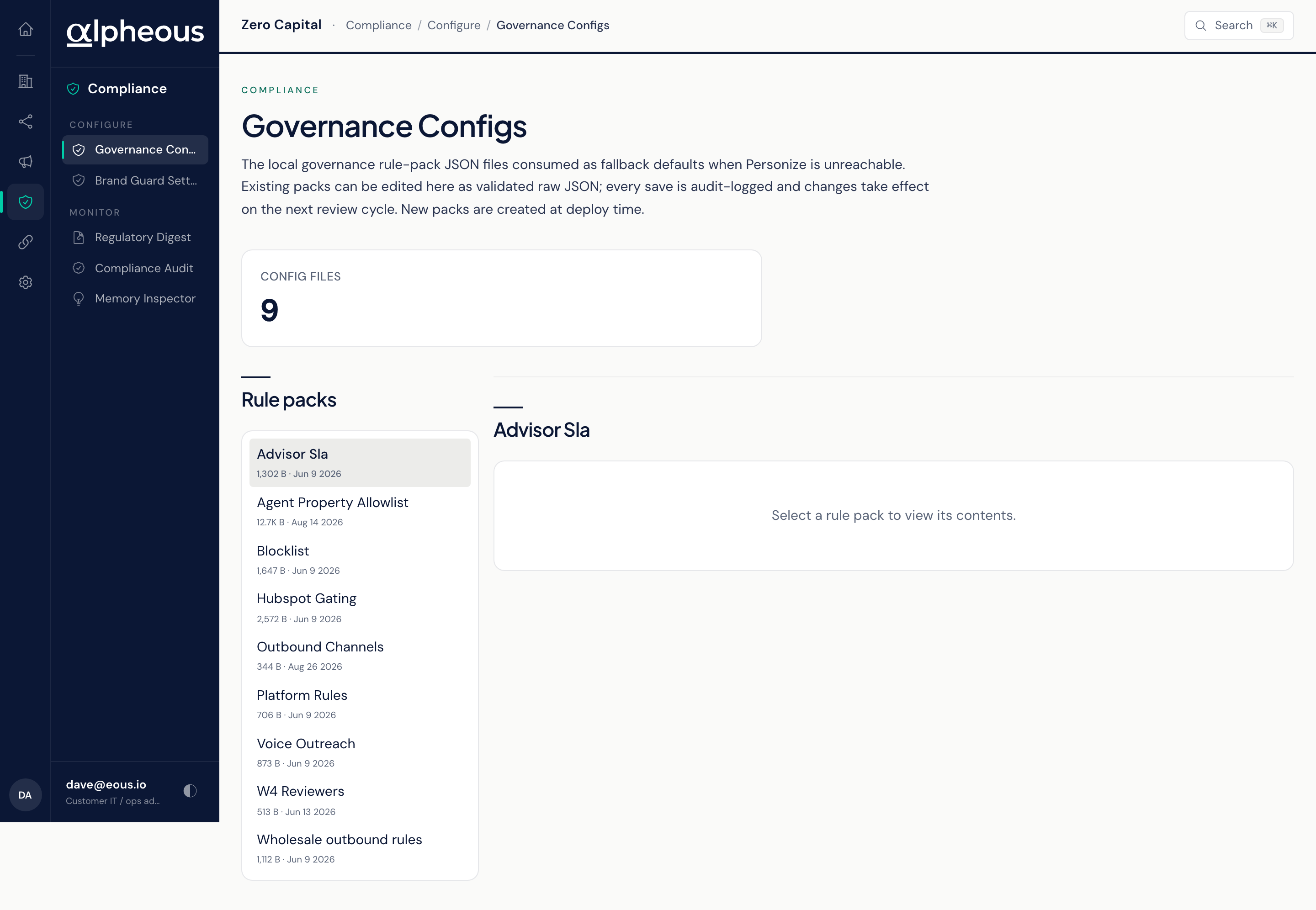
Open Governance to see every rule pack currently in force, listed by name. Select one to read its rules as validated text. If you hold the permission to edit governance rules, you can change a pack directly: your edit shows the removed lines and the added lines before you confirm, and the confirmation is explicit that the change affects every outbound check for the whole firm and takes effect on the next review cycle, not immediately.
Every save here is recorded in the audit log. New rule packs aren't created from this page: that happens when your firm is set up, so what you see here is the set of packs your firm already has, ready to review and refine. If the connection needed to save an edit isn't available, the viewer stays read-only rather than letting you save a change that might not stick.
A glance band at the top shows how many rule packs are configured and how many you currently have selected.
Related
- Brand Guard: the gate and its activity log for marketing content specifically.
- Compliance Audit Log: where every approval, flag, and block ends up on the record.
- Operator Console Overview: the map of the full console.